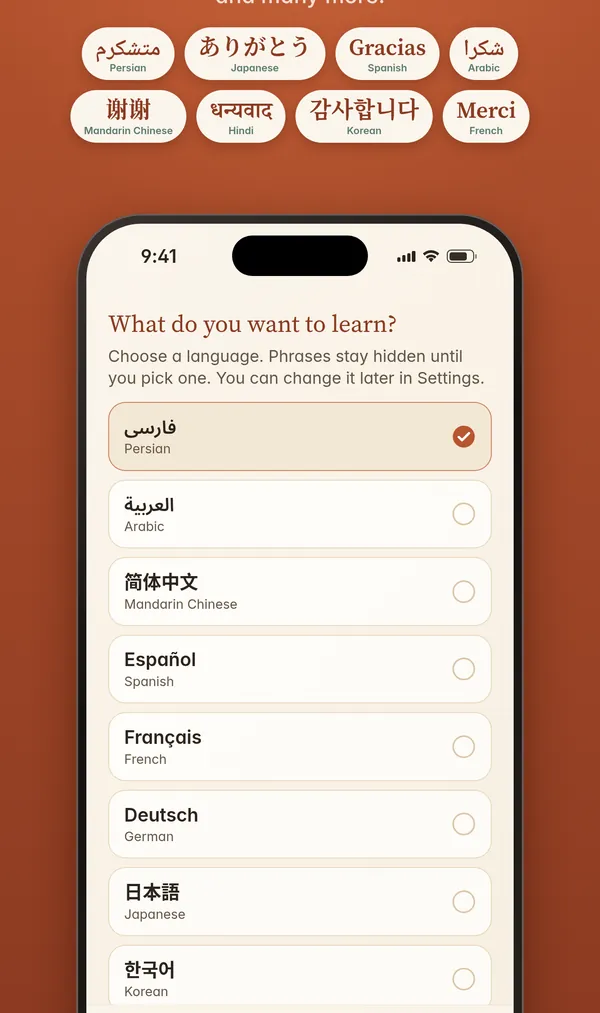
30 languages, real scripts
Persian, Japanese, Arabic, Spanish, Hindi, Korean and more, each shown in its own writing system.
Public beta is open
LearnOnLock puts a phrase in the language you're learning on your Lock Screen, Home Screen and Apple Watch. Native script, English meaning, and a transliteration so you can read it from day one.
Installs through TestFlight. For iPhone with iOS 17 or later, plus an Apple Watch app.
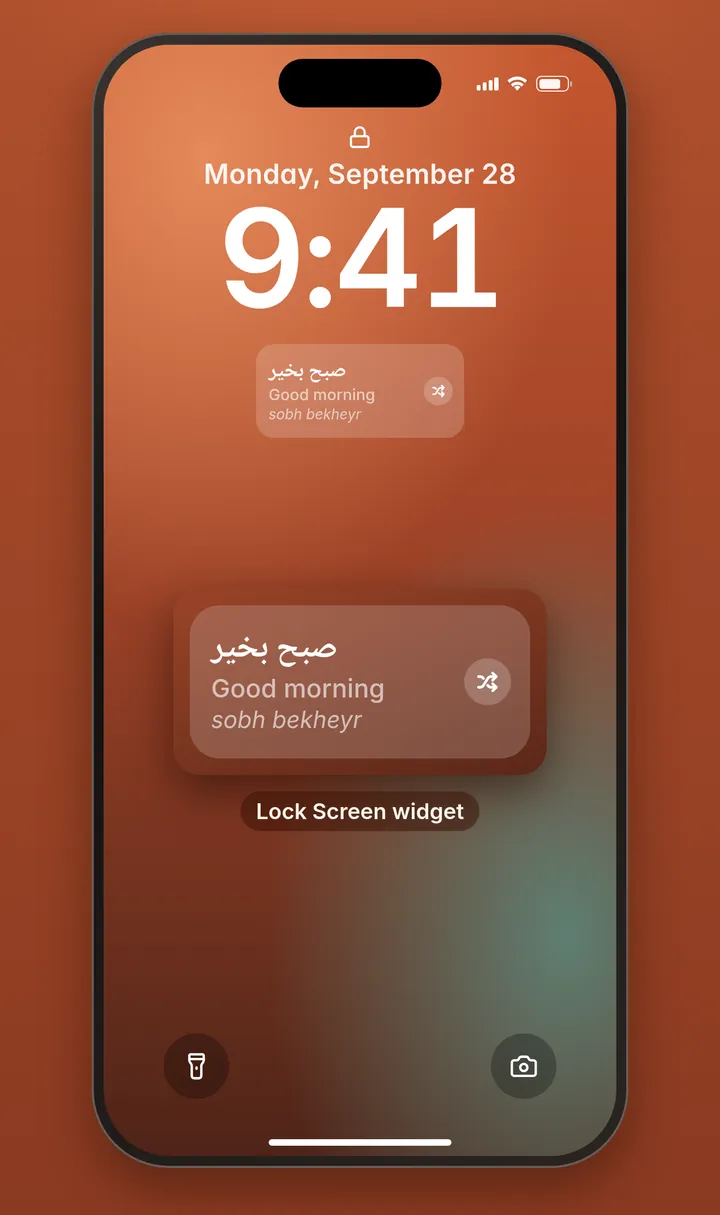
What's in the beta
You check your phone dozens of times a day. Each glance can teach you something.
Persian, Japanese, Arabic, Spanish, Hindi, Korean and more, each shown in its own writing system.
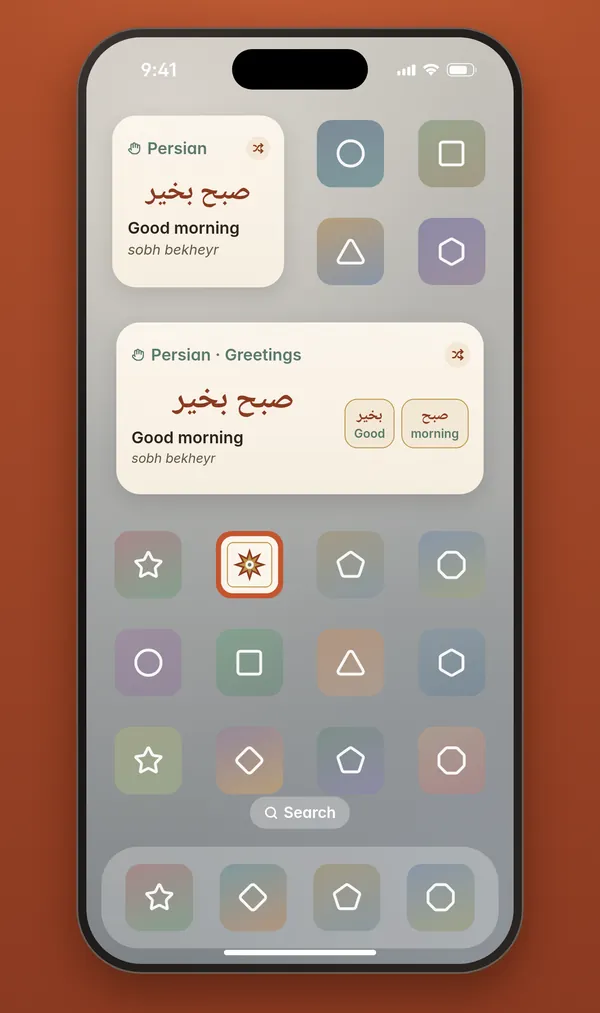
The same cream phrase card sits on your Lock Screen and right next to your apps. Tap it and the app opens to that exact phrase.
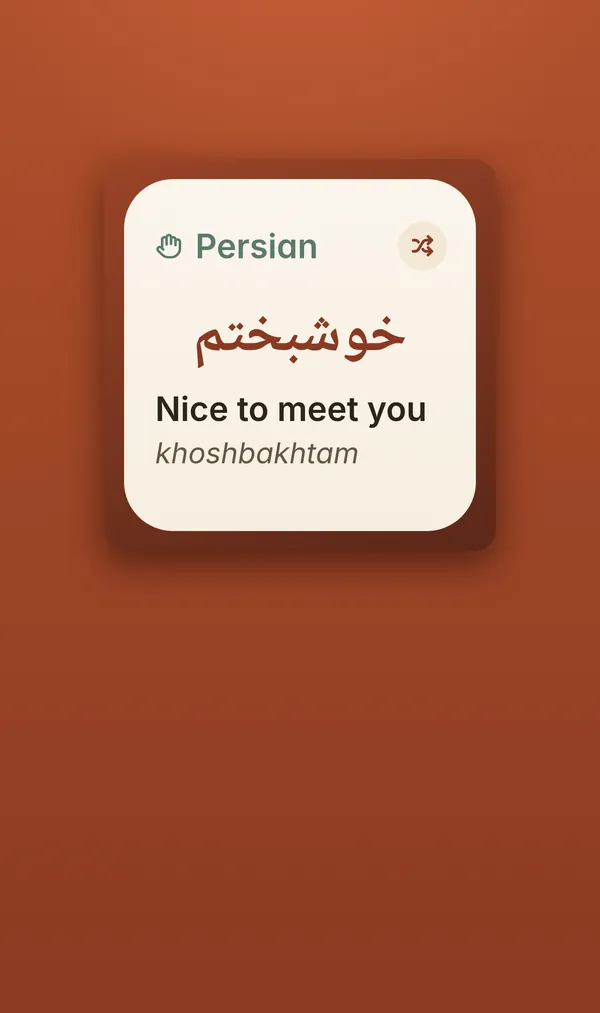
Every phrase in its native script with the English meaning, plus a transliteration for non-Latin scripts.
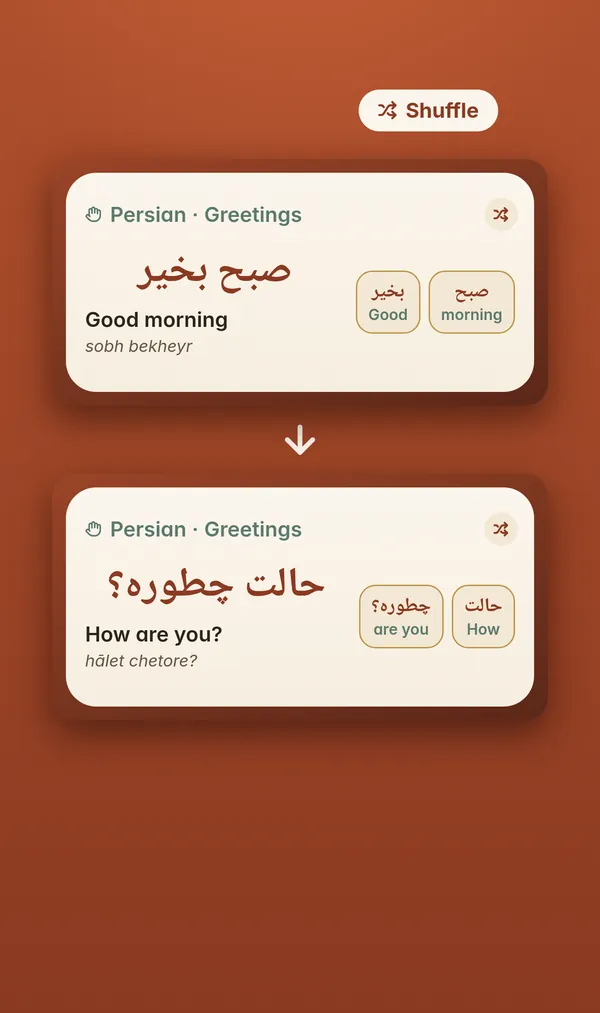
Want another one? Shuffle to a new phrase right from the widget, without opening the app.
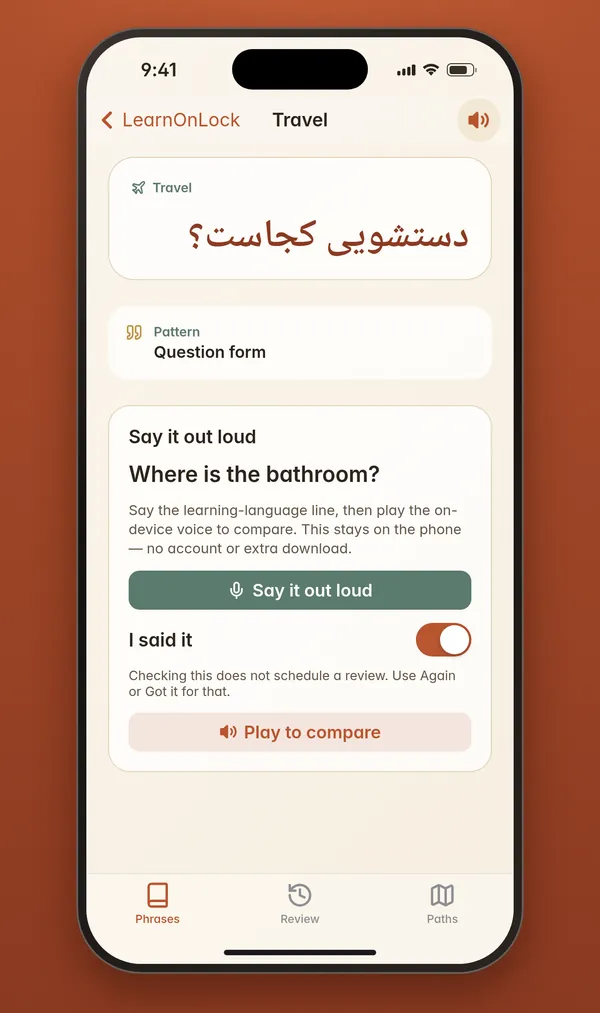
Tap play to hear the phrase spoken by your iPhone's built-in voices, then say it out loud yourself.
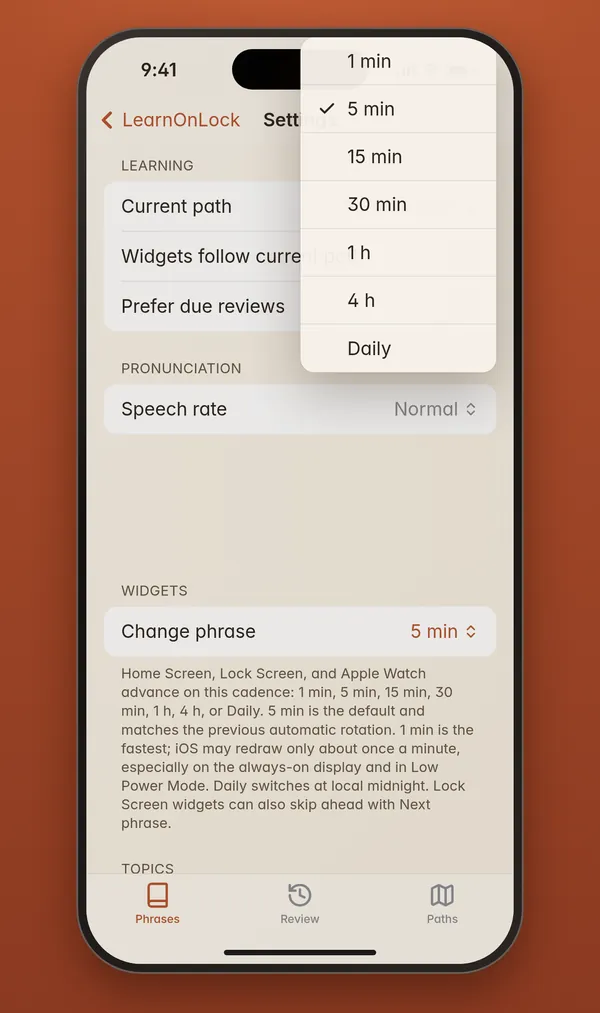
Choose how often the phrase changes: every minute, every few minutes, hourly, or once a day.
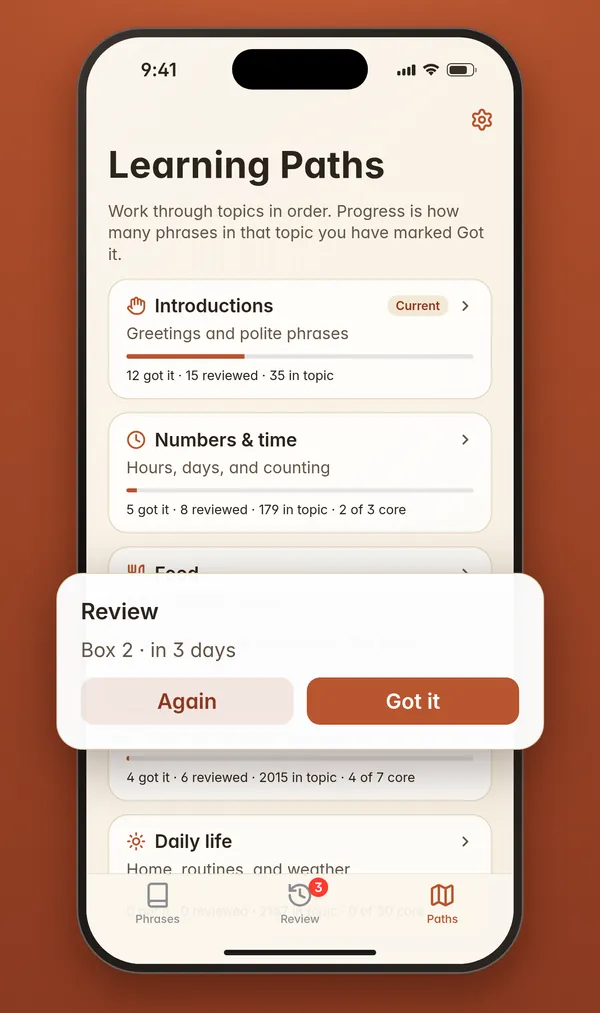
Mark phrases Again or Got it to review what you've seen, and work through beginner topics in order.
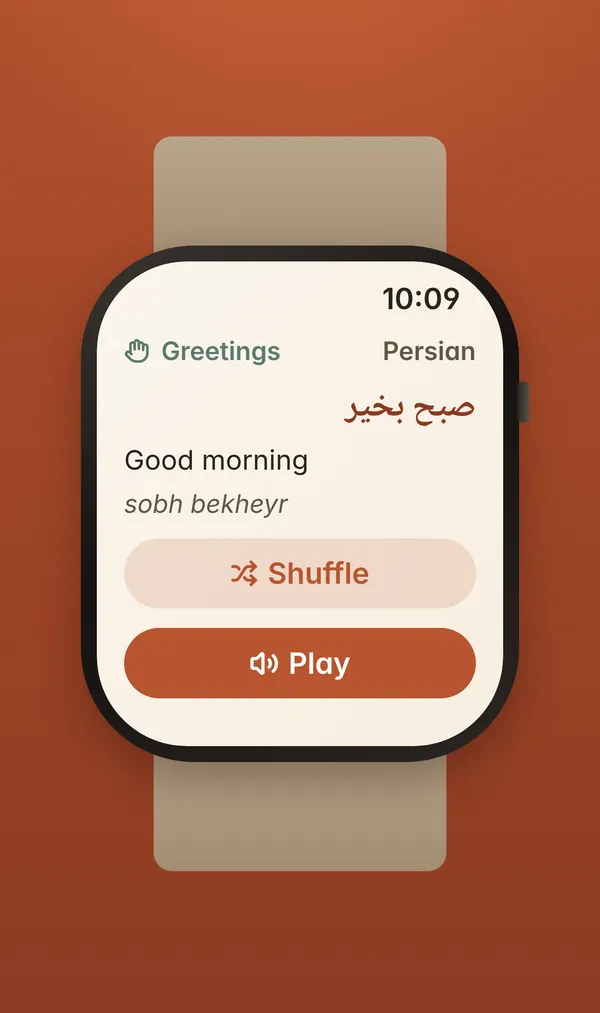
Phrases on your wrist, with Shuffle and Play. Your language and settings sync from your iPhone.
How it works
Choose from 30 languages. Phrases stay hidden until you pick one, and you can switch any time.
Put LearnOnLock on your Lock Screen, your Home Screen, or both. The Watch app picks up your choice too.
A new phrase shows up as often as you like. Tap it to open the phrase, hear it, and review it later.
Public roadmap
No dates promised. This will change based on what testers tell me.
Everything above: 30 languages, Lock Screen and Home Screen widgets, native script with English and transliteration, Shuffle, tap to open, spoken audio, how often it changes, Review and beginner paths, and the Apple Watch app.
Install it with TestFlight, add the widget, and tell me what you think.